CreatorLaneHQ Google Setup Checklist
Inside this guide
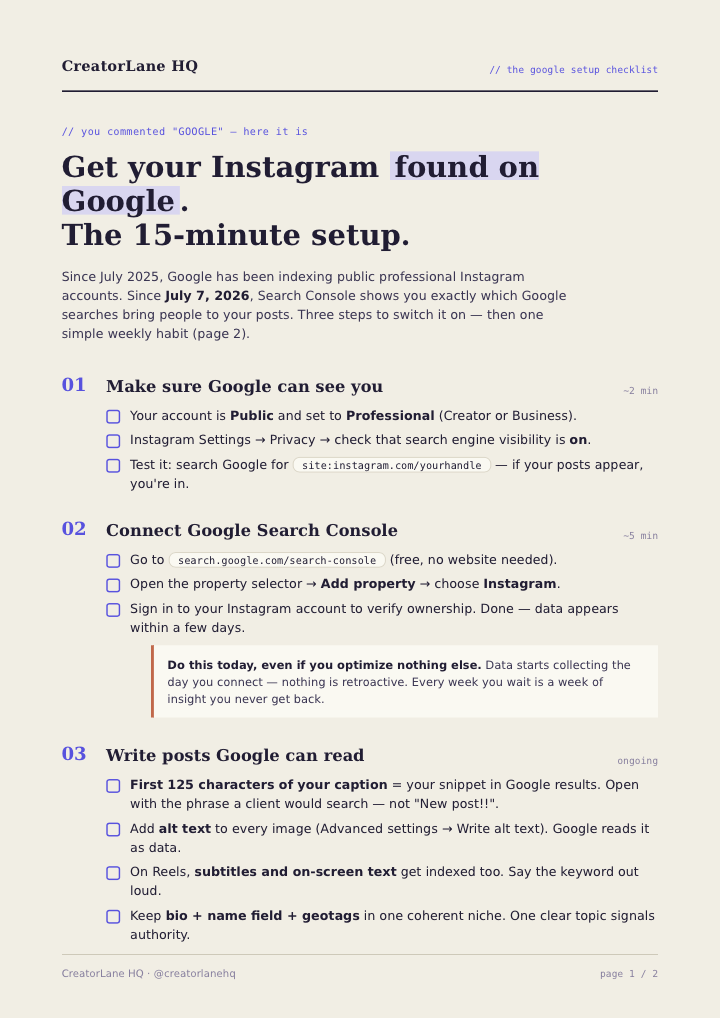
CreatorLane HQ // the google setup checklist // you commented "GOOGLE" — here it is Get your Instagram found on Google. The 15-minute setup. Since July 2025, Google has been indexing public professional Instagram accounts. Since July 7, 2026, Search Console shows you exactly which Google searches bring people to your posts. Three steps to switch it on — then one simple weekly habit (page 2). 01 Make sure Google can see you ~2 min 02 Connect Google Search Console ~5 min Do this today, even if you optimize nothing else. Data starts collecting the day you connect — nothing is retroactive. Every week you wait is a week of insight you never get back. 03 Write posts Google can read ongoing Your account is Public and set to Professional (Creator or Business). Instagram Settings → Privacy → check that search engine visibility is on. T est it: search Google for site:instagram.com/yourhandle — if your posts appear, you're in. Go to search.google.com/search-console (free, no website needed). Open the property selector → Add property → choose Instagram. Sign in to your Instagram account to verify ownership. Done — data appears within a few days. First 125 characters of your caption = your snippet in Google results. Open with the phrase a client would search — not "New post!!". Add alt text to every image (Advanced settings → Write alt text). Google reads it as data. On Reels, subtitles and on-screen text get indexed too. Say the keyword out loud. Keep bio + name field + geotags in one coherent niche. One clear topic signals authority. CreatorLane HQ · @creatorlanehq page 1 / 2 CreatorLane HQ // the weekly system // setup done? now make it pull leads One search phrase. One post. Every week. You don't need 100 optimized posts. You need a small, repeatable habit that compounds.…